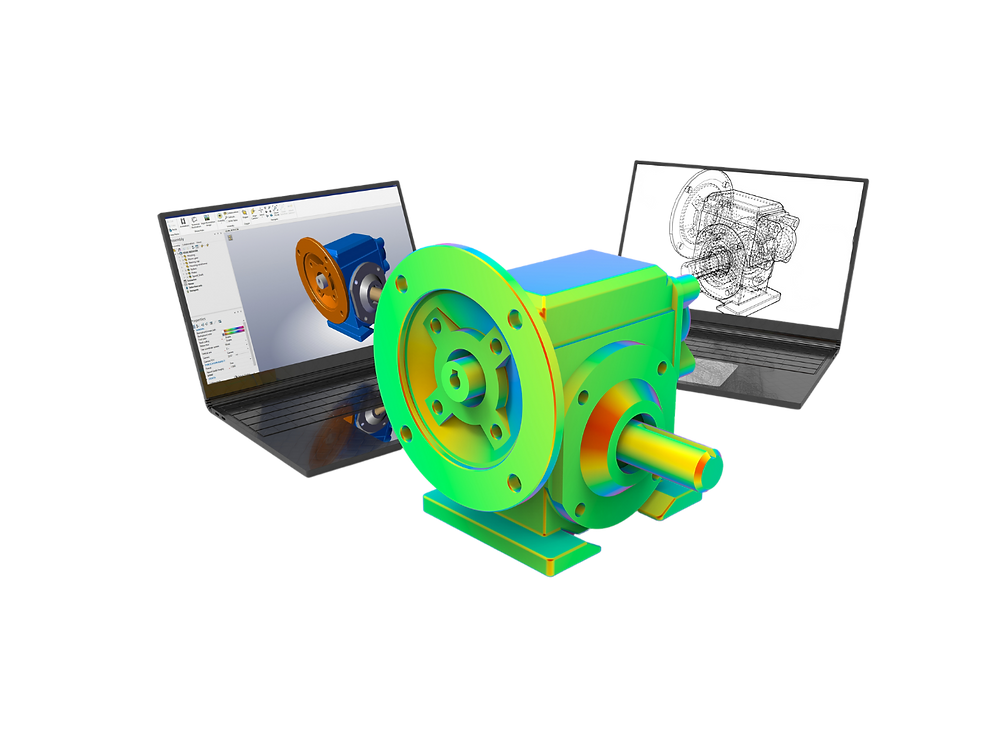
What is FEA software?
FEA (Finite Element Analysis) software uses the finite element method to predict how structures and materials respond to real-world forces, heat, fluid flow, and other physical conditions — without physical prototyping.
FEA software breaks a system into thousands or millions of smaller elements, applies mathematical models to each, and assembles results to predict behaviour across the full structure. This enables engineers to identify stress concentrations, predict fatigue life, optimise material distribution, and validate designs before manufacturing — saving significant time and cost.
How to choose the right FEA software
Five factors determine the best FEA software for a team:
- Analysis type — linear static, nonlinear, explicit dynamics, thermal, CFD, electromagnetics, or coupled multi-physics
- Ease of use — intuitiveness of the interface and steepness of the learning curve
- Integration — compatibility with your CAD tools and other software in the workflow
- Support and training — availability of documentation, tutorials, and customer support
- Cost — perpetual license, subscription, or unit-based; student/startup discounts where available
1. Abaqus — best for nonlinear FEA
Abaqus is a high-performance FEA software developed by Dassault Systèmes Simulia. It is known for its advanced analysis capabilities — particularly in nonlinear and complex materials analysis — and is widely used in automotive, aerospace, and defence.
Pricing: Contact Dassault Systèmes Simulia. Perpetual licenses are in the $20,000+ range. Free student edition available from recognised universities.
| Pros | Cons |
|---|---|
| Advanced nonlinear analysis — best-in-class for complex materials | GUI less intuitive than Ansys; learning curve for new users |
| Feature-rich — well documented with many tutorials | Expensive — not suitable for small businesses on tight budgets |
| Customisable with Python scripting | Not compatible with macOS |
| Accurate for dynamic and impact simulation | Meshing setup less automated than competitors |
Best for: Engineers performing highly nonlinear structural, dynamic, or material analysis. Detailed review: Abaqus Expert Review.
2. Ansys Mechanical — best for multi-physics
Ansys Mechanical is the top choice for multi-physics simulation — structural, thermal, CFD, and electromagnetic analysis within a single Workbench environment. Founded in 1970, Ansys serves clients including BMW, Siemens, and NASA.
Pricing: ~$22,000 perpetual base license (Ansys Mechanical only). Additional modules increase cost. Contact Ansys sales for specific quotes. Free student version and free training via Ansys Learning Hub available.
| Pros | Cons |
|---|---|
| All multi-physics modules in one suite | Expensive — module costs add up significantly |
| Customisable GUI and workflow automation via Workbench | Advanced interface has a learning curve for new users |
| Free training resources via Ansys Learning Hub | Meshing less powerful than HyperMesh |
Best for: Large engineering organisations needing cross-discipline multi-physics simulation. Full review: Ansys Mechanical Review.
3. MSC Patran + Nastran — best for aerospace structural
Patran is the most widely used FEA pre/post-processor worldwide. Because of its ubiquity, collaboration and file sharing between engineering organisations is seamless — no format conversion needed. It works with MSC Nastran, MD Nastran, Abaqus, Ansys, LS-DYNA, and others.
Pricing: ~$5,000/license/year. Contact MSC Software (now Hexagon) for quotes. Student edition available from recognised universities.
| Pros | Cons |
|---|---|
| Most widely used — seamless collaboration and file sharing | Outdated GUI (Windows 2006 aesthetic) |
| Comprehensive — acoustics, additive manufacturing, optimisation, fatigue, structural, thermal | Steep learning curve; limited customisation room |
| Supports multiple solvers (Nastran, Abaqus, Ansys, LS-DYNA) | Expensive for small businesses; implementation can be complex |
Best for: Aerospace and automotive structural teams already in the Nastran ecosystem. Full review: MSC Patran Expert Review.
4. Altair HyperWorks — best for meshing and optimisation
HyperWorks is the preferred CAE suite when meshing quality and structural optimisation are the priority. HyperMesh's pre-processing control is unmatched; OptiStruct's topology optimisation is the industry standard for lightweight design.
Pricing: Unit-based (HyperWorks Units, HWU) — contact Altair for custom quote. Not publicly listed.
Best for: Teams prioritising mesh quality, structural optimisation, or needing multiple CAE capabilities under one flexible license. Full review: HyperWorks Expert Review.
5. Siemens Femap — best for Nastran users wanting a modern UI
Femap is a popular FEA pre/post-processor from Siemens, known for its user-friendly interface, robust analysis capabilities, and seamless integration with other Siemens software. It is particularly strong for Nastran-based structural analysis workflows.
Pricing: Contact Siemens PLM for quotes. Generally more accessible than Nastran/Patran for smaller teams.
| Pros | Cons |
|---|---|
| User-friendly interface — easier to learn than Patran | Less ubiquitous than Patran for inter-company collaboration |
| Robust analysis — strong for structural FEA | Tighter lock-in to Siemens PLM ecosystem |
| Seamless integration with Siemens PLM tools (NX, Teamcenter) | Fewer third-party solver integrations than Patran |
6. COMSOL Multiphysics — best for multi-physics R&D
COMSOL Multiphysics is a cross-platform simulation software for physics and engineering problems based on PDEs. It is particularly strong at coupling multiple physics in one model — structural mechanics + fluid flow + heat transfer + electromagnetics simultaneously.
Pricing: Commercial licenses from ~$3,495/year (single user). Academic licenses from ~$1,495/year. 30-day free trial available.
Best for: R&D teams, universities, and national labs needing coupled multi-physics simulation without the cost of the Ansys full suite. Full review: COMSOL Multiphysics Review.
Head-to-head comparison
| Software | Best for | Pricing (approx.) | Multi-physics | Learning curve |
|---|---|---|---|---|
| Abaqus | Nonlinear FEA, complex materials | $20,000+ perpetual | Limited | Steep |
| Ansys Mechanical | Multi-physics breadth | $22,000+ perpetual | Excellent | Moderate–steep |
| MSC Patran + Nastran | Aerospace structural | ~$5,000/yr | Limited | Steep (Patran UI) |
| Altair HyperWorks | Meshing, optimisation | Unit-based (HWU) | Good | Steep (control cards) |
| Siemens Femap | Nastran workflows, Siemens PLM | Contact Siemens | Limited | Moderate |
| COMSOL Multiphysics | Coupled multi-physics R&D | From $3,495/yr | Excellent | Moderate |
Frequently asked questions
What is FEA software?
FEA software uses the finite element method to predict how materials and structures respond to real-world forces, heat, fluid flow, and other conditions — enabling virtual testing before physical prototyping.
What is the best FEA software for beginners?
Ansys Mechanical with its free Ansys Learning Hub training is the strongest choice for beginners. Abaqus Student Edition is free for students. SimScale (cloud-based) is the most accessible entry point without heavy hardware.
How much does FEA software cost?
Abaqus and Ansys Mechanical start at $20,000–$22,000 perpetual. MSC Patran is ~$5,000/year. COMSOL from $3,495/year. HyperWorks is unit-based — contact Altair. Free student versions are available for most major tools.
Is Abaqus better than Ansys?
Abaqus is stronger for highly nonlinear material analysis and contact. Ansys is stronger for multi-physics breadth and cross-discipline collaboration. Choose based on your primary analysis type.